
Before you buy Choosing a platform
Check-in at the door
A tap on the way in is the lowest-friction check-in there is, which makes no-show release far more acceptable to staff than a phone prompt.
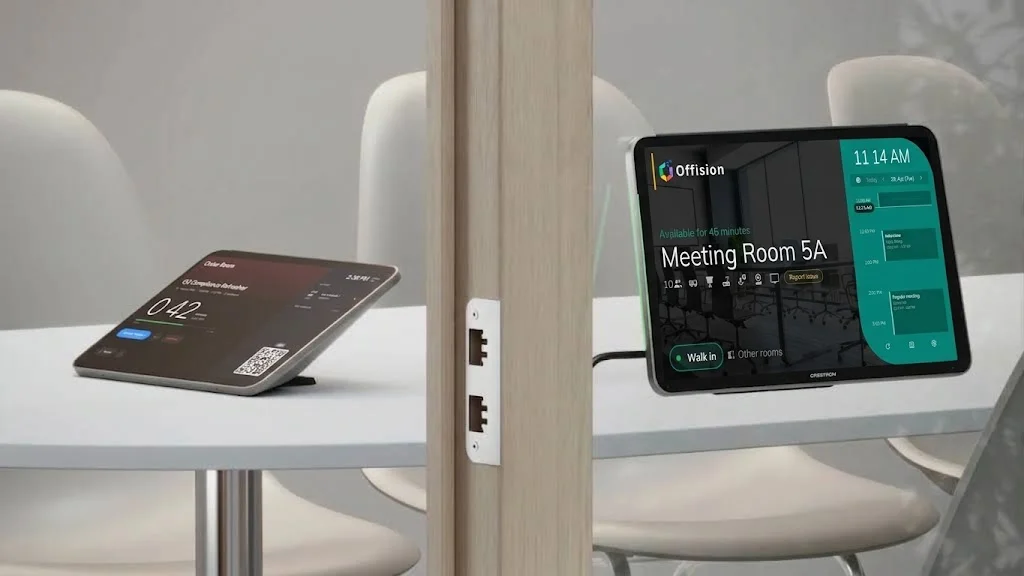
Check-in at the booking panel
Walk up to the panel, tap check-in, and the booking becomes real — no-show release feels fair because the prompt is where people already stand.
Common questions
Do we have to cable every meeting room?
No. E-paper labels run on battery and update wirelessly through a gateway.


Part of a larger guide
Do you actually need room panels?
Panels solve one specific problem — the gap between what the calendar says and what the corridor shows. If you do not have that problem, buy fewer.
Full article ›Panels at the door
Their value is deciding, in the corridor, whether a room is genuinely free. If your rooms are glass-walled and rarely contested, that question rarely gets asked.
Read this guide ›Signage vs panels
A panel serves one room. A lobby or floor display orients people across many, and answers "where do I go" rather than "is this free".
Read this guide ›Power and network
The device price is rarely the problem — cabling to every door is. E-paper labels running on battery through a gateway avoid most of that work.
Read this guide ›See it against your own rooms
Walk through your estate, your booking rules and your calendar setup with our team — or start free and try it on one floor.