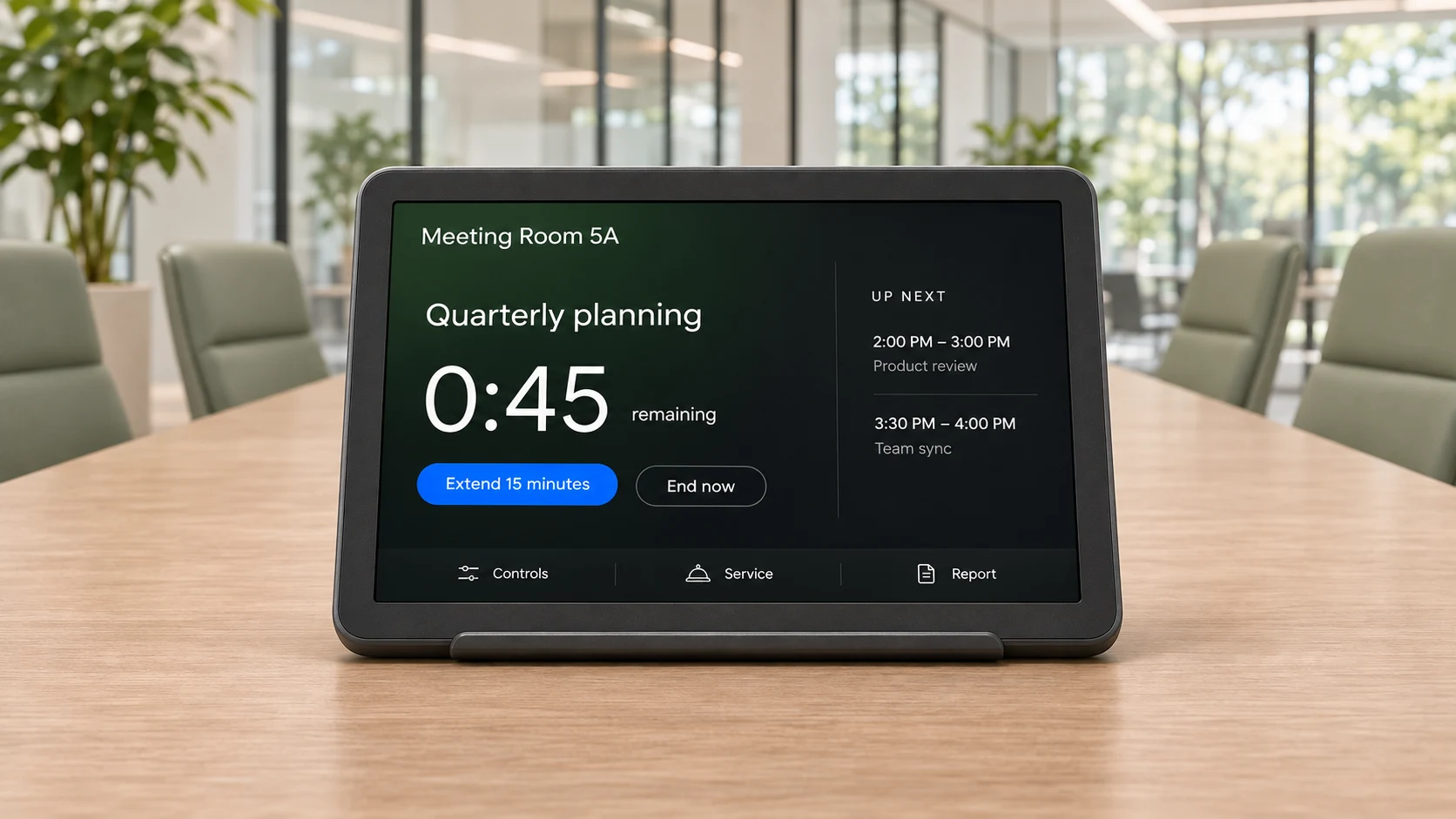
See the time remaining and the room’s upcoming meetings from your seat.
The countdown turns amber with 15 minutes left. Extend the meeting from the panel when the schedule allows.
At five minutes, the countdown turns red. End now releases the remaining booked time for the next person.
remaining
Adjust connected lights and AV from the panel. Controls appear where compatible devices are configured.
Ask for an in-use service during a running booking, where the room has services configured.
Report a problem with a room amenity where company problem reporting is enabled.
Choose the Meeting assistant panel design on a supported device. Manage its appearance, meeting actions and idle behavior from the In-room panel configuration page.
Read the setup guideThe door panel helps people outside find and book a room. The in-room panel helps people already meeting manage their time. A room can use both; the in-room panel keeps its light bar dark.
Extensions depend on the room’s booking policy and the time available before the next booking. The panel offers a quick 15-minute extension and a sheet with longer options.
Yes. Enable announcements before the meeting ends, at the end, or both. They are off by default. Announcements use the panel’s display language and do not read out the meeting title or organizer.
These dock items appear only when their room devices, in-use services or company problem-reporting settings are configured. Phone control is available through the QR code where enabled.