

See what the requester asked for
What a request tells you before you set off — the options ordered, the remarks left with them, and the booking form's extra fields and photos, all on the card itself.
Everything needed to fulfil a request is printed on the request itself. Nothing has to be opened first.
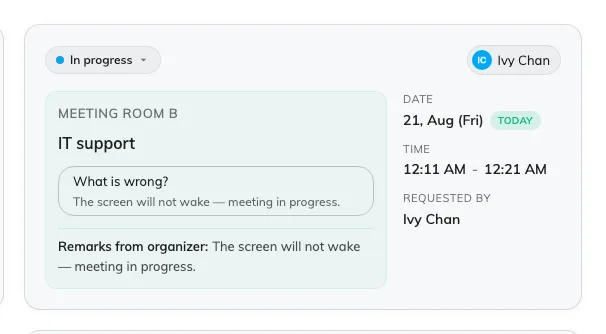
One request: the room, the service, the options ordered and anything typed with them.
On the card
Along the top, the status and who it is assigned to. Down the right, the date, the time it is due and Requested by. The left side is what you actually carry:
- The service, and under it the options ordered — one row each: which drink, how many cups, which setup, whatever that service was built to ask.
- Remarks from organizer — anything typed free-hand with the request.
- Staff response — what has been written back, once somebody has.
- Extra fields — answers from the booking form, shown to service staff only where the form was set up to share them. Files land here as thumbnails: tap one and the picture opens full-screen, which is how a photo of the room or the fault reaches you.
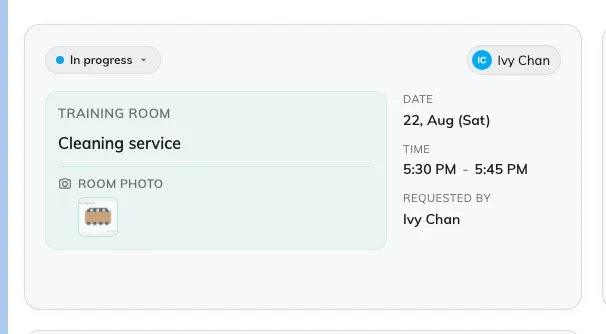
An extra field from the booking form, and the picture attached to it.
In list view
The same things become columns — service, duration, options, status, room, who asked, who it is assigned to — so a whole morning can be read down one edge of the screen. Each heading filters and sorts on itself.