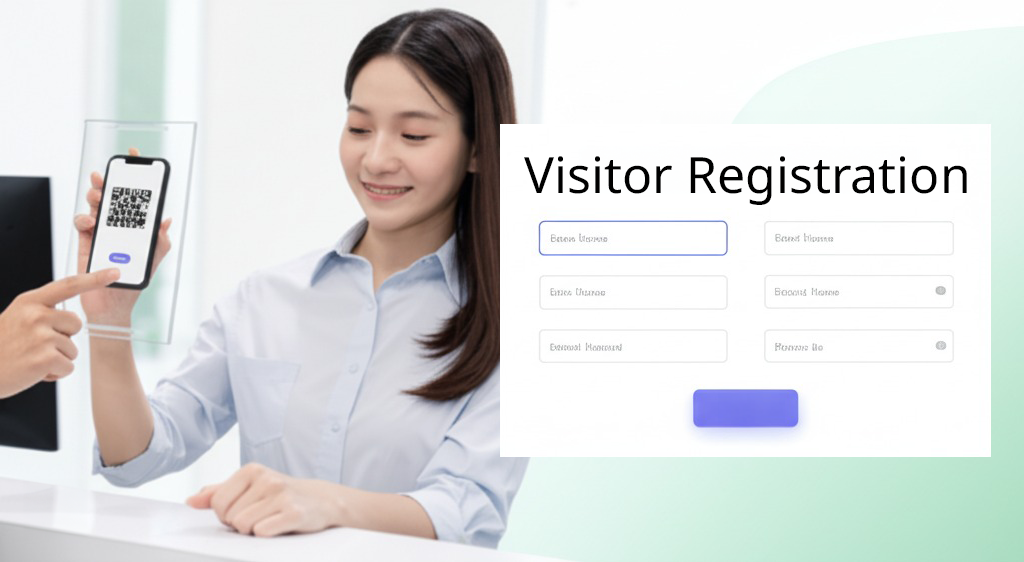
The "QR Code for Visitor Registration" feature in Offision allows admins to easily download a QR code for visitor registration. This function is designed to simplify the visitor check-in process, eliminate paperwork, and improve efficiency. Here’s how the feature works:
- QR Code Download: Admins can download a unique visitor registration QR code directly from Offision.
- Display the QR Code: Once downloaded, the QR code can be displayed on a tablet, printed on paper, or shared digitally with visitors.
- Mobile-Friendly Registration: Visitors simply scan the QR code using their smartphone cameras. There’s no need for additional apps—scanning redirects them to an online registration form.
- Quick and Easy Form Filling: Visitors fill out the form directly on their mobile devices, providing necessary details like name, contact information, and purpose of visit.
- Contactless and Efficient: This feature ensures a smooth, contactless, and eco-friendly registration process, saving time for both admins and visitors.
This feature is ideal for organizations looking to modernize their front desk operations and provide visitors with a seamless check-in experience.
Pros
1. Streamlined Registration Process
- Eliminates traditional paper forms and manual data entry.
- Reduces wait times for visitors during check-in.
- Visitors can use their own devices for registration.
2. Contactless and Safe
- Especially beneficial in environments where hygiene and distancing are important.
- Enables contactless interaction, ensuring health and safety.
3. User-Friendly for Admins and Visitors
- Admins can easily download QR codes.
- Visitors don’t need to download extra apps—just scan and register.
4. Time and Resource Efficient
- Saves time for front desk staff who no longer need to manually register visitors.
- Reduces the use of paper and printing materials, contributing to sustainability efforts.
5. Flexible Deployment
- QR codes can be printed, displayed digitally, or shared via email or messaging platforms.
- Works seamlessly across various devices and platforms.
6. Enhanced Visitor Experience
- Visitors enjoy a smooth, hassle-free check-in experience.
- Improves the professionalism and modern image of the organization.
7. Secure and Organized
- Ensures all visitor data is collected securely in digital format.
- Organizes visitor records in one place for easy access and management.
By leveraging this feature, organizations can modernize their visitor registration process, enhance operational efficiency, and leave a positive impression on visitors.

 Neat
Neat
 Crestron