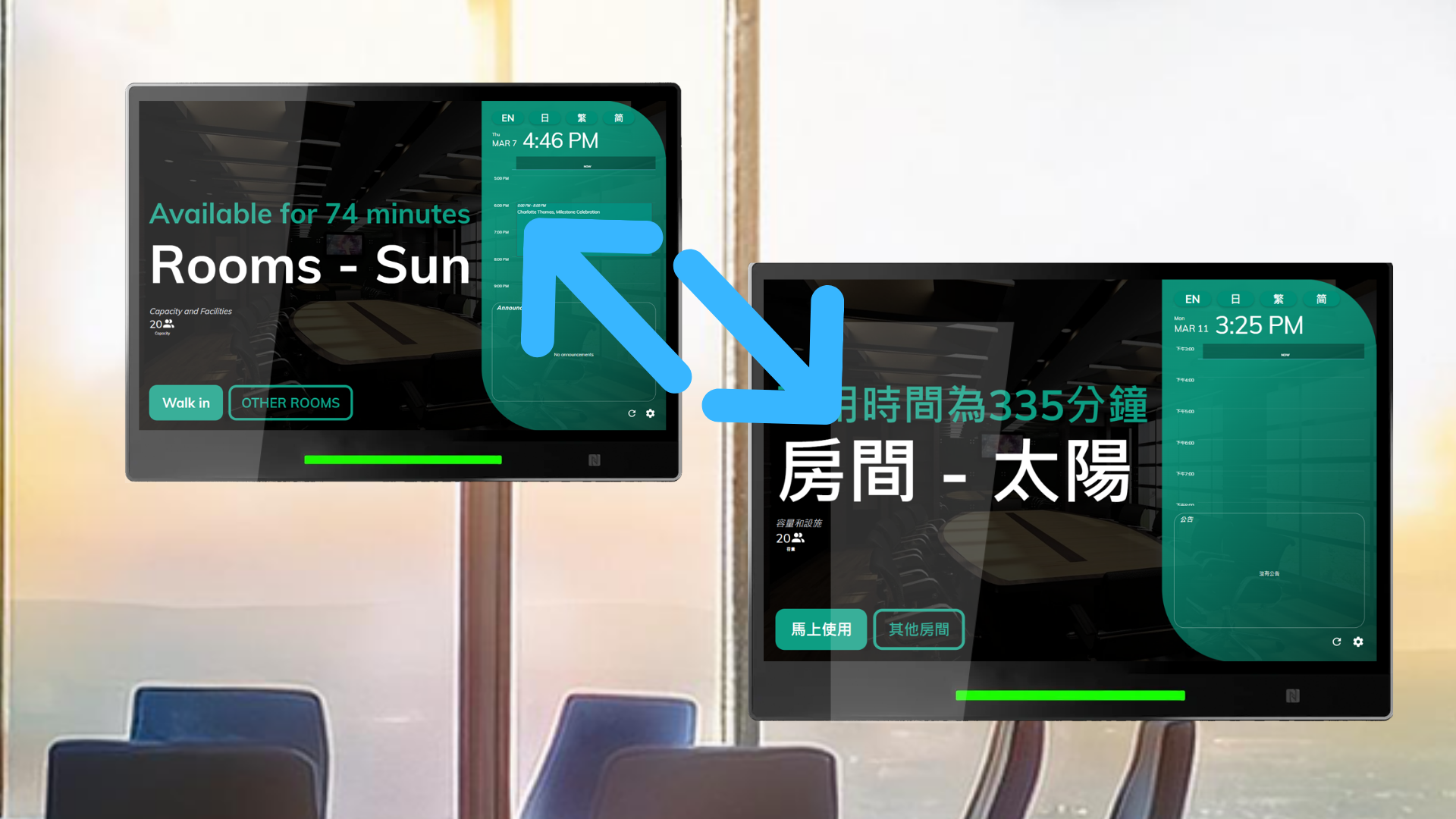
Offision’s Change Panel UI Language feature is designed to provide a personalized and accessible experience for users. This feature allows users to easily switch the panel’s language to their preferred option with just a few clicks. By offering multilingual support, Offision ensures that users from diverse backgrounds can interact with the system comfortably.
Administrators have the flexibility to configure the languages available on the panel, tailoring the options to suit the organization’s needs. This gives businesses control over which languages are supported, making it ideal for global teams or multilingual environments.
Key Features:
- Simple Language Switching: Users can change the panel’s UI language quickly and easily.
- Administrator Configuration: Admins determine which language options are available for users.
- Enhanced Accessibility: Ensures the system is usable for people from various linguistic backgrounds.
- Personalized Experience: Allows users to interact with the system in their preferred language.
- Supports Multilingual Teams: Ideal for organizations operating across different regions or serving diverse users.
This feature is particularly valuable for organizations that prioritize inclusivity and user satisfaction, as it empowers users to customize their interface and enhances their overall experience.
Pros
Enhanced Accessibility
- Makes the system usable for users with different language preferences.
- Supports inclusivity by catering to a diverse user base.
User-Friendly Customization
- Allows users to personalize their interface for a better experience.
- Simple and intuitive process for switching languages.
Improved User Experience
- Reduces language barriers, making the system easier to navigate.
- Ensures users feel comfortable interacting with the panel.
Administrator Control
- Admins can customize available languages to align with organizational needs.
- Flexibility to support specific languages based on user demographics.
Supports Global Teams
- Ideal for multinational organizations or multilingual environments.
- Ensures all team members can access the system in their preferred language.
Scalable for Future Needs
- As organizations expand, more languages can be added to accommodate new users.
- Keeps the system relevant for evolving user requirements.
Increased Efficiency
- Users are more productive when interacting with the system in their preferred language.
- Reduces misunderstandings caused by language barriers.
Offision’s Change Panel UI Language feature is a valuable tool for enhancing accessibility, usability, and user satisfaction. While it’s reliant on administrator configuration and accurate language support, its ability to cater to multilingual teams and provide a personalized user experience makes it an essential feature for global organizations aiming to foster inclusivity.

 Neat
Neat
 Crestron