
Problems you recognise Campus admin
Tell them at the door if the room is free
Offision puts live status on the door, so a free room looks free before anyone opens an app.
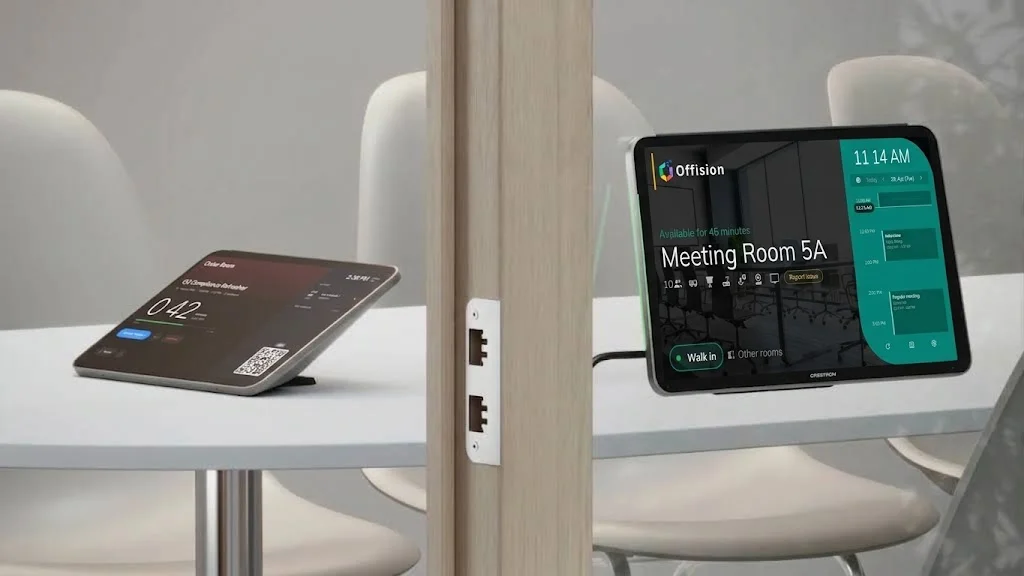
What the booking panel is for
A panel or QR at the door shows free or busy in the colours people already understand. They do not have to open a website to know whether they can walk in.
Common questions
Can a school book a room from the door panel or a QR code?
Yes. The panel shows live status and can take a walk-up booking. A QR sticker opens the same booking on a phone.


Part of a larger guide
Nobody will open another school app
Students already have a portal, email and a timetable. A booking tool they only meet on a webpage they cannot find will stay empty — and the rooms will still be booked on paper.
Full article ›Put booking where students already sign in
Offision does not need a second destination. A portal link or the phone browser is enough for a student to book a room.
Read this guide ›Let them book from the map they walk
Offision shows free rooms on the map of the floor they are standing on — not only in a search they will not run.
Read this guide ›Let them take the next slot at the door
Offision lets a walk-up book the next free slot from the panel, so the corridor and the diary stay in agreement.
Read this guide ›See it against your own rooms
Walk through your estate, your booking rules and your calendar setup with our team — or start free and try it on one floor.