Neat
Neat
 Crestron

Cisco Wi-Fi
Connect the visitor journey with Cisco Wi-Fi for controlled guest and staff network access.
Make network access part of the visitor journey. Offision connects check-in with supported Cisco, TP-Link, and UniFi networks so guests can get online without a separate IT handoff.
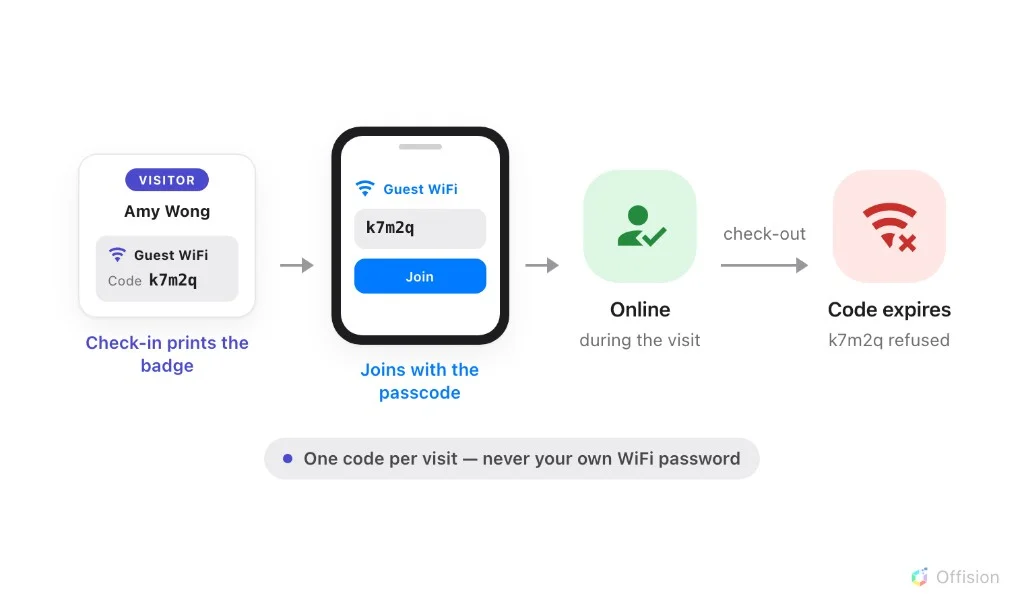
The guest never receives your office Wi-Fi password. Check-in issues a passcode that belongs to that single visit.
The badge carries the visitor's name and a guest Wi-Fi code created for this visit.
They pick the guest network, enter the printed code and are online — no reception hand-holding.
Once the visit is closed the same code is refused, so access never outlives the visitor.
Use the network platform that already fits your workplace while Offision coordinates the visitor experience.
Connect the visitor journey with Cisco Wi-Fi for controlled guest and staff network access.
Give visitors and staff a faster path onto supported TP-Link networks.
Provision convenient guest access through supported Ubiquiti UniFi networks.
Guest connectivity stays tied to the same managed arrival process your reception and workplace teams already use.
The integration page currently links Cisco Wi-Fi, TP-Link Wi-Fi and Ubiquiti UniFi Wi-Fi to this guest Wi-Fi solution.
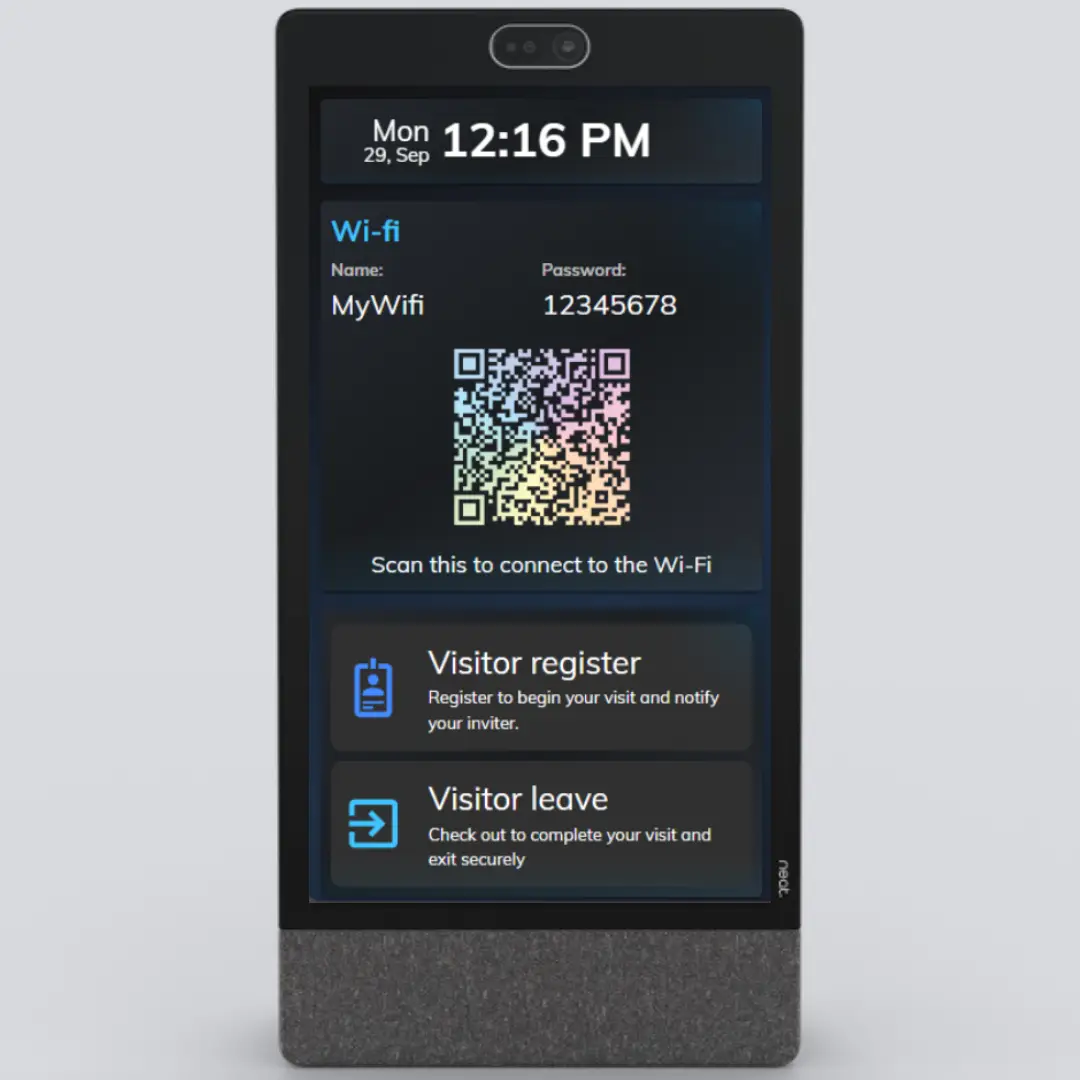
Yes. The visitor welcome experience can present Wi-Fi details and a QR code so guests can connect without typing the network credentials.
No. Offision coordinates the visitor journey and works with the supported Wi-Fi platform; your network platform continues to enforce its configured access policies.
Connect visitor check-in and network access with the Wi-Fi platform your workplace already uses.
Start for free

©2026 ONES Software Ltd. All rights reserved.