Neat
Neat
 Crestron

One estate, many modules
One estate for rooms, desks, visitors and panels.
One console — rooms, visitors, panels, signage.
How to add a roomBefore you buy Why Offision?
Offision brings booking, visitors, services, tickets, devices, signage and integrations into one console so facilities, IT and front-desk teams share the same estate — not five disconnected tools.
Content reviewed: September 2026
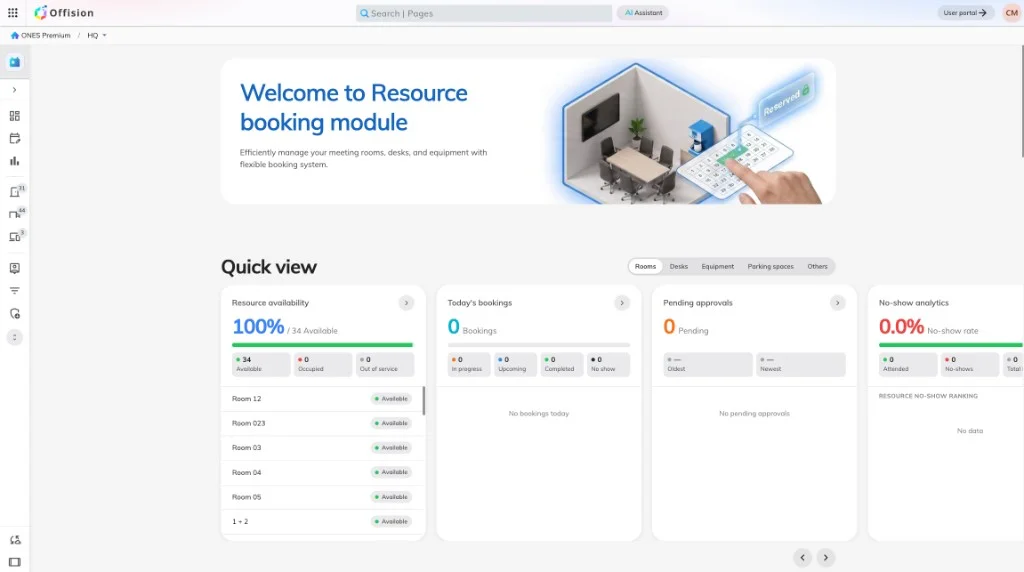
One estate for rooms, desks, visitors and panels.
One console — rooms, visitors, panels, signage.
How to add a roomSync calendars — Booking and Directory govern rules.
Microsoft 365, Google, Teams and SSO in one place.
Microsoft 365 connection modesPanels and signage read live bookings, not screenshots.
Device health beside room configuration.
Device offline alertsClear modules — create resource, then attach rules.
Booking, Devices, Visiting — separate, connected.
Booking rules start from the problemThe same problem costs each group something different — and they rarely compare notes.
You get one place to define resources, rules and day-to-day queues without juggling separate booking and visitor products.
You connect identity and calendars once, then reuse the same directory and device estate across modules.
You can evaluate workplace ROI from utilization, visitor flow and service load without stitching reports across vendors.
No. Booking is one module. Visiting, Service, Ticketing, Devices, Signage, Integrations, Directory, Map and System sit alongside it in the same admin console.
No. Most teams start with Booking plus Directory and Map, then add Visiting, Devices or Signage when the estate is stable.
In the Offision Help Center. Academy explains concepts and decisions; each article links the matching Help Center modules.

Walk through your estate, your booking rules and your calendar setup with our team — or start free and try it on one floor.


©2026 ONES Software Ltd. All rights reserved.