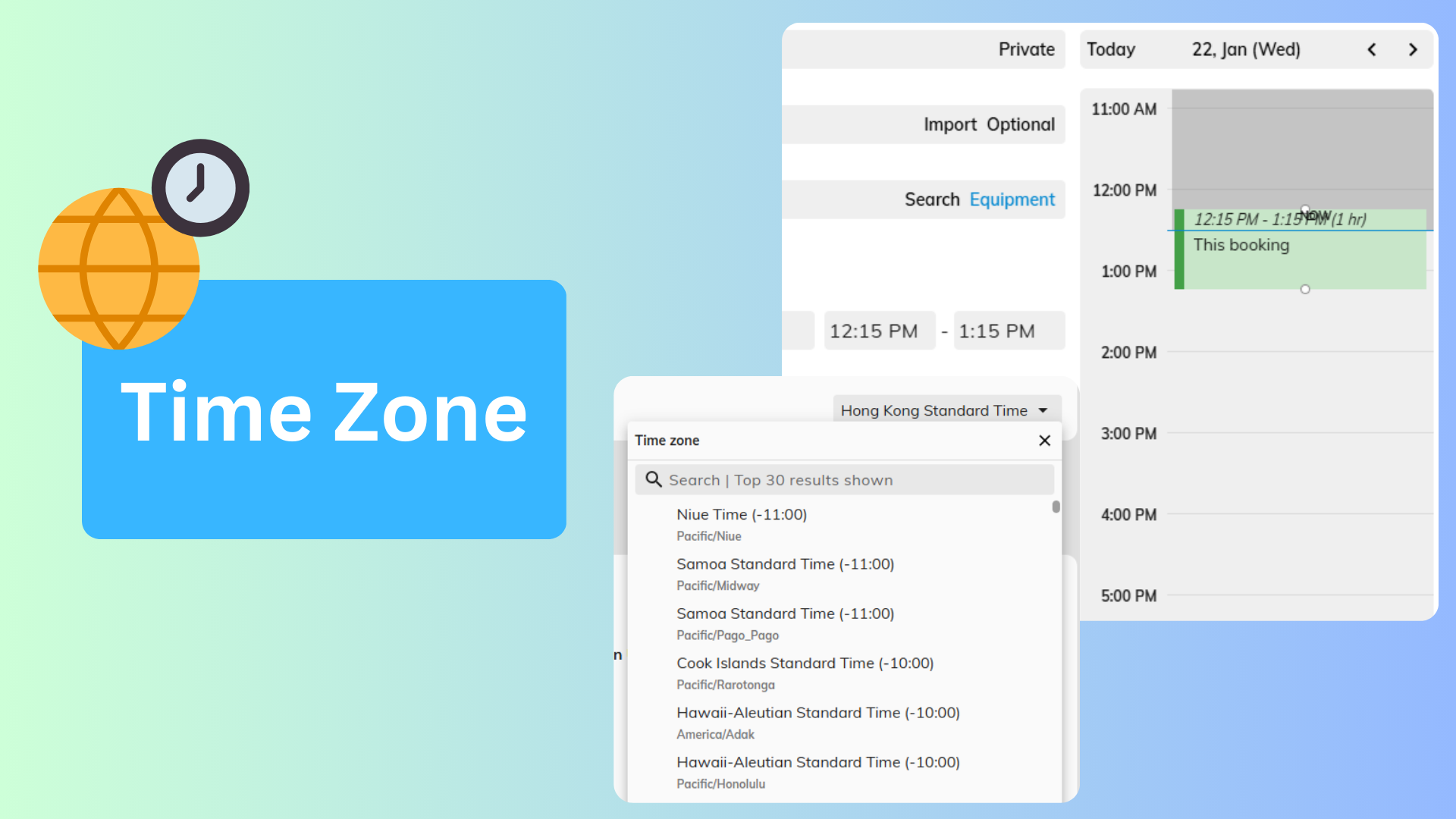
The Time Zone Configuration feature in Offision ensures seamless scheduling and coordination for users operating across different regions. When a user’s current time zone differs from the one set in the system, Offision automatically detects the discrepancy and provides a reminder to switch. This feature also allows users to manually update their time zone, ensuring that bookings, meeting times, and notifications align accurately with their local time.
Core Features:
Automatic Time Zone Detection
- The system identifies when a user’s time zone differs from the configured system time zone.
- Provides a notification to remind users to update their time zone for accurate scheduling.
Manual Time Zone Updates
- Users can manually adjust their time zone settings if needed.
- Ensures flexibility for users who frequently travel or work remotely.
Improved Scheduling Accuracy
- Aligns all bookings and notifications with the user’s local time zone.
- Reduces the risk of miscommunication or missed appointments due to time zone differences.
This feature is particularly valuable for global teams, remote workers, and organizations with users operating across multiple regions.
Key Benefits:
- Enhances scheduling accuracy by aligning time zones.
- Promotes seamless collaboration for teams in different locations.
- Provides flexibility for users to update time zones as needed.
Pros
Accurate Scheduling Across Time Zones
- Ensures that all bookings and notifications are displayed in the correct local time for each user.
- Avoids confusion caused by time zone discrepancies, improving meeting and booking reliability.
Automatic Time Zone Detection
- Users are notified when their current time zone differs from the system’s time zone.
- Saves time by allowing users to adjust their settings immediately when discrepancies occur.
Flexibility for Remote Work and Travel
- Users can manually update their time zones when traveling or working remotely.
- Supports frequent time zone changes without disrupting the user experience.
Improved Collaboration for Global Teams
- Helps teams operating across multiple regions stay coordinated.
- Reduces communication errors or scheduling conflicts caused by time zone differences.
Enhanced User Experience
- Proactively reminds users of time zone differences, ensuring they don’t miss important meetings or bookings.
- Provides a smooth and intuitive scheduling experience for all users.
Supports International Operations
- Ideal for organizations with offices or users in different countries.
- Simplifies scheduling for global teams, enhancing productivity and efficiency.
Minimizes Missed Appointments
- Aligns bookings and notifications with the correct time zone, reducing the chances of users missing appointments or events.
- Ensures all users are on the same page regarding scheduled times.
Easy to Use
- Automatic detection and manual adjustment options make it simple for users to manage their time zones.
- No technical expertise is required to update or switch time zones.
Scalable for Growing Teams
- As organizations expand to new regions, the time zone feature ensures that team members can continue to schedule and collaborate without disruptions.
- Supports growth while maintaining scheduling accuracy.
Reduces Miscommunication
- By aligning time zones, the system eliminates confusion caused by time differences.
- Helps teams focus on their tasks instead of resolving scheduling conflicts.
The Time Zone Configuration feature in Offision is a crucial tool for maintaining scheduling accuracy and avoiding time-related confusion. By detecting time zone differences and allowing users to manually update their settings, it simplifies operations for global teams and frequent travelers. While user action is sometimes required for updates, this feature offers significant benefits for organizations operating across multiple regions or time zones.

 Neat
Neat
 Crestron