
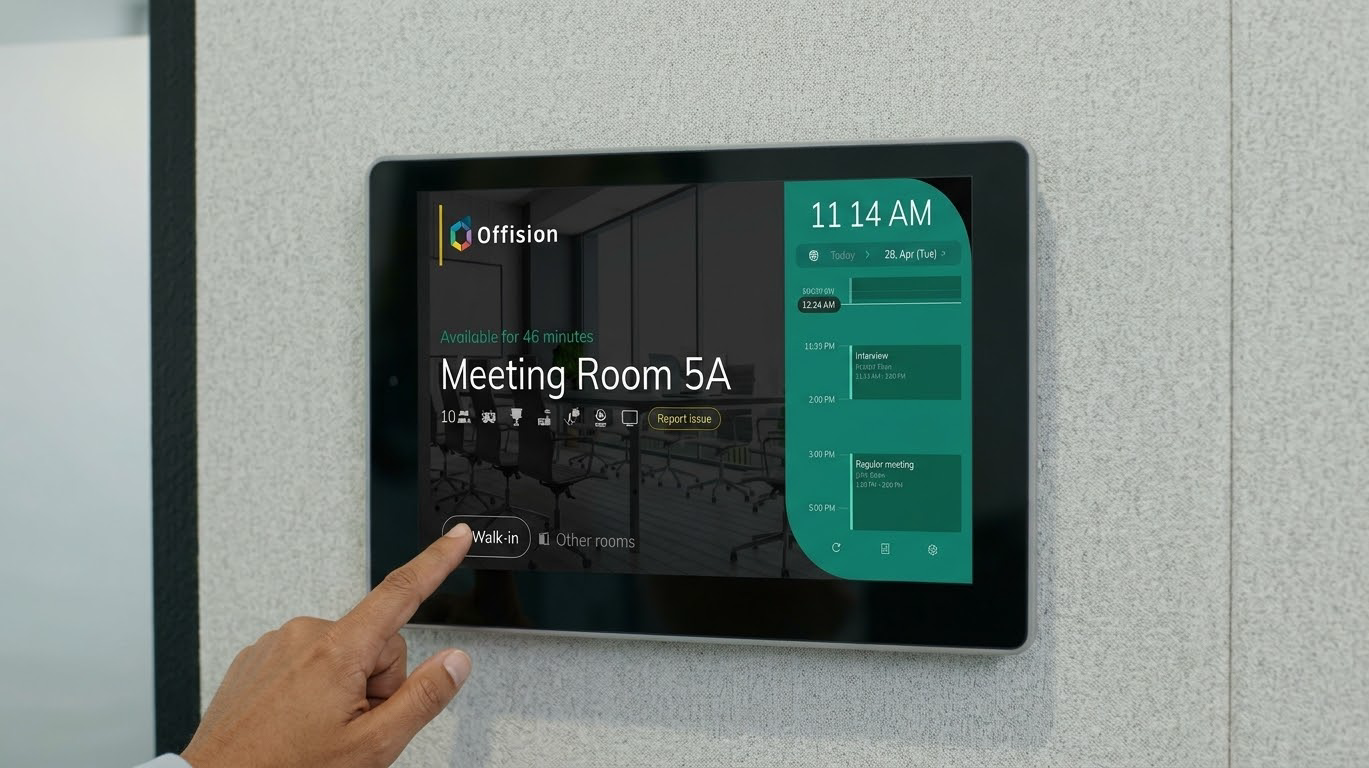
Booked means a reservation. Occupied means someone is actually there.
A block on a calendar says a room or desk was reserved. It does not say anyone sat down or stayed. Keep three facts apart: what was reserved, what was checked in, and what a sensor reported.
Whether desks stay assigned or become bookable, and whether Outlook is still doing the job of the building, are separate decisions. See desk booking versus assigned seating and why Microsoft 365, Outlook, and Places are not the whole workplace system.
What each word is allowed to mean
Nobody types the status. It follows from whether the resource confirmed, whether check-in is required, and whether anyone checked in.
| What you see | What it means | What it does not mean |
|---|---|---|
| Booked | Confirmed. Nothing is due until the start. | The space is in use. |
| Waiting check in | The slot has started, check-in is required, and nobody has checked in. The resource is still held. | A no-show. That is recorded when the deadline passes and the resource is released. |
| Using (In use in the app) | Running because someone checked in, or because this resource never required check-in. | Someone is in the room now. |
| No show | The check-in deadline passed unattended, and the resource was released. | A cancellation. Cancelling removes the booking. |
| Occupied or empty | A linked sensor: somebody, or nobody. | A headcount, or proof a booking exists. |
Using is the easy one to misread. Help says it means a booking is running and somebody checked in, or the room never asked. It does not mean somebody is there. A booking can finish as Used with nobody marked present.
Require check-in is what makes the difference visible. With it off, Offision checks the booking in for the organizer and holds the resource for the whole period. That empty hold is not a software fault, and it can never be a no-show. No-show analytics will not list it, because the policy never released it.
Why the calendar runs ahead of the floor
A calendar stores reservations. It overstates use when those reservations are read as occupancy. How large the gap is depends on your rules and your building. It is not a standard percentage, and a figure from somewhere else is not evidence.
Nobody came. Without required check-in, a room held all week and entered by nobody can look as busy as a room in constant use. Resource usage analytics counts time held against that resource's business hours. Late check-in and early check-out shrink it, and a no-show counts as nothing, but only when check-in is on and the booking is actually shortened or released.
A cancellation is a different, better outcome. It leaves the calendar, it is not a no-show, and it is not left in the no-show total to flatter the rate. The problem to chase is the booking that stays.
The series outlived the meeting. A ghost meeting is usually a recurrence that kept the room after people stopped coming. Where that policy is on, consecutive no-shows cancel the rest of the series, after one warning. There is no strike count, no loss of booking rights, and no quota penalty. The report can list department as well as the person.
The check-in was not at the door. The booking panel is the method Help describes as proving somebody was at the door. App check-in can claim a room from anywhere unless GPS or an office-network IP restriction is on. A sensor check-in, after presence long enough, is a real check-in and lowers the no-show rate rather than hiding it.
Hot desks usually have no door panel. A sticker, the app, a zone kiosk, an e-paper tag, or a desk panel can claim the seat. Which of those prove presence is covered in the hot desking equipment checklist. Under every option, an unclaimed desk should return to the pool.
People left, and the hold continued. Early check-out is its own setting. Off, the room stays held to the booked end whatever a sensor says. On, someone can end it, or a sensor can check it out after a long enough empty period. The usage rate shrinks with the held time.
What to turn on
Change policy on the rooms and desks people compete for before buying sensors. A sensor answers a second question. It does not repair a check-in rule that is off.
There is no setting named auto-release. Can check-in after (in mins) is both the grace period and the moment the resource is taken back. Can check-in before opens the window ahead of the start. Both count from the start. A shorter booking closes the window at its own end.
All-day desk bookings should not use a minute window from midnight. With all-day check-in time on, the deadline is a clock time: the hour an unclaimed desk goes back to the pool.
Release rewrites the booking, so the leftover time is free. On a synced Microsoft 365 or Google room, that shorter period is written back. Correcting the calendar still does not show that anyone was there. The organizer is told when check-in opens and again at release. Emails can be switched off; the app notifications cannot. Switching mail off does not stop the release.
A sensor reports occupied or empty
Offision does not make sensors. It reads them, and only a sensor linked to that room or desk as a resource can move a booking. Linked only to a point on the floor, it does not.
Three policy switches are independent:
- Auto check-in claims a waiting booking after continuous presence. Five minutes is the shortest the setting accepts, so someone passing through does not take it. Presence outside business hours can be ignored.
- Auto checkout shortens a booking already checked in, once the room has been empty long enough. It does not clear a no-show, and it requires Allow early check-out. Exclude all-day bookings, or an empty desk releases itself at midnight.
- Auto extend moves the end later, in steps, while the room stays occupied, and stops at the next booking, the end of business hours, or the maximum duration.
Booking automation needs occupied or empty, not a headcount. Whether the room was full needs a people-counting device and a capacity on the room. A motion-only sensor can still check a booking in or out. It cannot be turned into a counter later.
Quote the report that matches the question
Resource usage analytics is time held, not people in the room. User resource usage credits the organizer with the scheduled length. Leaving early does not shrink it; a no-show is excluded.
No-show analytics counts bookings that were used, are in use, or were released unattended. Split rooms from desks. The timestamp is the release, not the original start, so it will not line up with the calendar by exactly the grace period.
Space utilization efficiency, which Help marks as Preview, needs a people-counting sensor. A finished booking can show occupied time against the slot, and peak people beside capacity. Its ghost-booking rate covers no-shows and bookings used with no motion. High booked time and low occupied time means the room is taken and not used. Those two percentages will not match: sensor overall utilization does not use each resource's own business hours.
Attendance is not occupancy
Booking check-in says a resource was claimed. Attendance says who was at work, against a working schedule, with that schedule's own GPS, network, or selfie check. A desk check-in can also write an attendance sign-in marked Auto. That is a working-day record, not proof the desk stayed occupied. Which problem you are solving is covered in workplace management software for hybrid offices.
The first month with check-in on will show more no-shows and less usage than the old calendar. That is the record catching the building, not demand collapsing.
FAQ
What is the difference between booked and occupied?
Booked means the reservation is confirmed. Occupied means someone is actually there. Offision keeps booking status separate from a sensor's occupied-or-empty reading. Using means the booking was claimed, or never had to be. It does not mean the room is still full.
Why do calendars make the office look busier than it is?
They store the reservation whether or not anyone arrives, and often hold it to the booked end. No-shows, old recurrences, remote check-ins, and early departures all leave calendar time that was not time in the room. How large that is follows your check-in rules.
Does check-in prove someone is in the room?
Only as far as the method checks. The panel puts someone at the door. App check-in does not, unless GPS or the office network is required. A sensor check-in means presence was reported for the configured time. Staying to the booked end needs an early check-out or sensor checkout.
Can a sensor release a room nobody came to?
It can check in, check out, and extend when linked to that resource and the switches are on. Checkout applies only to a booking already checked in, and only if early check-out is allowed. A booking nobody attended is released by the check-in deadline, not by the sensor. The sensor does not count people.
Is a no-show the same as a cancellation, or as attendance?
No. Cancelling removes the booking and is not a no-show. A no-show missed its check-in deadline and was released. If check-in is off, an empty full-length hold is neither. Who was at work is a separate attendance schedule.
A practical next step
Offision keeps the reservation, the check-in rule, and any sensor reading as separate facts, with desks and rooms on one floor plan. How the rules behave is in the Help Center, starting with how check-in and no-show work. Set the policy before treating booked hours as a picture of the floor.
Leave a Reply