
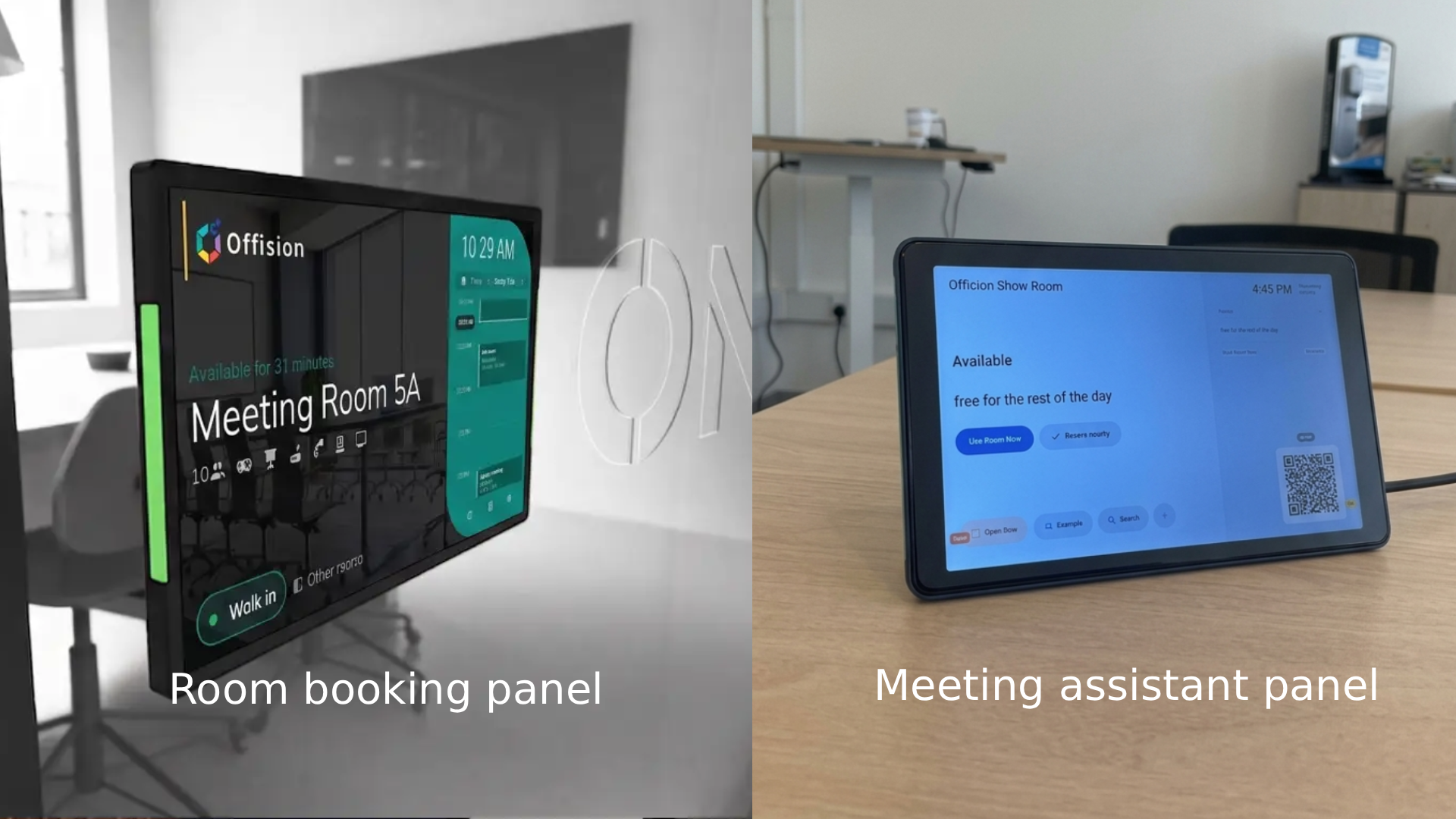
Modern office spaces demand versatility, and the Offision Room Panel delivers just that by serving two distinct operational roles: an exterior Room Booking Panel mounted outside the door and an interior Meeting Assistant Panel placed on the conference table.
Room Booking Panel: Outside-the-Door Efficiency
Mounted right beside the entrance, the exterior panel streamlines scheduling for employees walking through the workspace.
- At-a-Glance Status: Clear LED light bars and large digital status displays instantly indicate whether a room is available or occupied from down the hallway.
- Instant Walk-In Booking: Tap the “Walk in” button to reserve an available room on the spot, eliminating friction for ad-hoc huddles.
- Schedule Transparency: A live calendar sidebar displays current availability, upcoming bookings, and daily room schedules.
- Room Resource Indicators: Icons clearly show room capacity and available hardware (projectors, video conferencing tools, whiteboards, or phone systems).
Meeting Assistant Panel: Inside-the-Room Control
Once inside, the panel transforms into a dedicated desktop hub designed to keep meetings running smoothly without tech hiccups.
- In-Room Reservation Extension: Quickly extend your ongoing session or claim additional time directly from the table using intuitive action buttons like “Use Room Now.”
- QR Code Integration: Attendees can scan the on-screen QR code to quickly sync their personal devices, view agenda details, or manage the room booking via mobile.
- Quick Tools & Search: Built-in controls allow users to search for available alternate spaces, request assistance, or trigger smart office automations (like opening doors or adjusting room controls).
- Unobtrusive Desktop Form Factor: Built with an angled stand and clean desktop cabling, it fits naturally into any conference table setup without cluttering workspace.
By bridging the gap between exterior room discovery and interior meeting management, Offision provides a seamless end-to-end smart office experience for modern hybrid teams.
Leave a Reply