
As we move into this new era of work, there are leaders who want to offer total flexibility, while others desire more consistent office usage. No matter your strategy, workplace leaders must clearly communicate plans to employees, and regularly check in with them on how it’s working.
Challenges Solved by Check-In and Check-Out Policies
Resource Hoarding is a common issue where employees book rooms or desks but fail to use them, leading to wasted space. By requiring check-ins, the system automatically releases resources if users do not check in within a specified time. This ensures that spaces are available for others who need them, maximizing resource availability.
Underutilization of office space occurs when resources remain booked but unused. Allowing early check-out gives users the flexibility to release a room or desk when they finish early, making it accessible for others. This optimizes office space efficiency and ensures that resources are fully utilized throughout the day.
Scheduling Conflicts often arise when multiple bookings overlap or when resources are unavailable at crucial times. With automatic check-out and early release options, these conflicts are minimized as resources become available sooner. This streamlines scheduling and reduces the chances of double bookings.
Lack of Accountability can lead to inefficient use of office resources. By tracking actual usage compared to booked time, employees are encouraged to be more responsible with their bookings. This accountability helps maintain an orderly and fair system for all users.
Inefficient Space Management is another challenge that can be addressed by analyzing data from check-in and check-out patterns. Understanding usage trends allows organizations to optimize office layouts and allocate resources more effectively based on real needs, rather than assumptions.
How Offision ensure seamless room booking and usage?
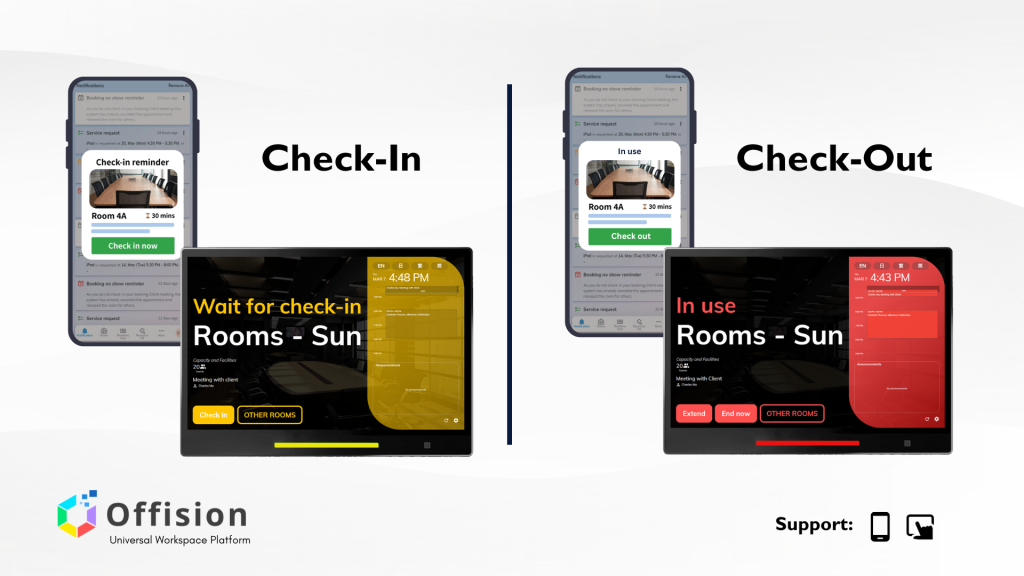
With Offision, smart check-in and check-out policies ensure seamless room booking and usage. Here’s how.
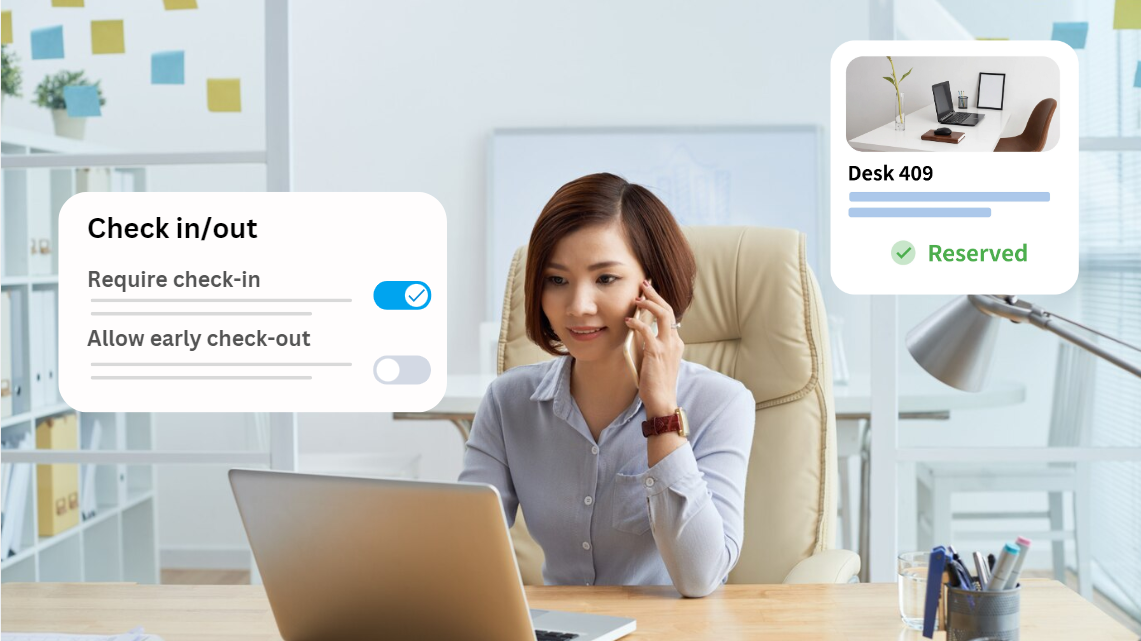
Require Check-In
Enable this feature to ensure users check in within a set time frame. If they don’t, the system marks it as a no-show and releases the resource automatically. This prevents unused bookings and optimizes space utilization.
Allow Early Check-Out
By enabling early check-out, users can end their bookings ahead of time using the ‘End Now’ button. This frees up resources for others. If disabled, Offision automatically checks out the resource at the booking’s end, maintaining order and predictability.
Why Implement These Policies?
Implementing check-in and check-out policies offers numerous benefits that enhance office efficiency and user satisfaction. By maximizing resource utilization, these policies prevent the common issue of resource hoarding, ensuring that rooms and desks are available when needed. This is crucial in a hybrid work environment where space can be limited and demand fluctuates.
Moreover, these policies significantly enhance the user experience by providing employees with greater flexibility and control over their bookings. Allowing early check-outs and automating no-show releases ensures that resources are not tied up unnecessarily, making them accessible to others who might need them on short notice.
Additionally, these policies boost productivity by streamlining office operations. By reducing scheduling conflicts and encouraging accountability, the office environment becomes more organized and efficient. Employees can rely on a system that accurately reflects available resources, reducing frustration and enabling better planning.
With Offision, managing office space becomes effortless. Implement these smart policies to create a more efficient and user-friendly environment. Stay tuned for more insights in our series on optimizing office resource management!